AeroMeter
Live pressure and airflow measurements for Galeon AeroMeter hardware.
Download for Windows (GitHub)Download on the App StoreDownload for Android (APK)
Android: version 1.2.0, build 6 · 46.7 MB. Direct APK download.
Google Play Android testing
Use the same Google account for the group, the testing page and Google Play.
-
First, join our shared testing group. You only need to join it once for all three apps.
-
Then open this app’s testing page, become a tester and install the app through Google Play. Join each app’s test separately.
Please keep the app installed for as long as possible to help it meet the testing requirements before its public release. Stay in the group and opted in to the test, try the app and share feedback.
One companion, three platforms
AeroMeter is available for Windows PC, iOS and Android. It is the companion software for compatible Galeon AeroMeter pressure and gas-flow hardware, bringing live measurements, trend charts and session statistics to your computer or mobile device.
Compatible AeroMeter hardware is required for real measurements. The mobile apps also provide Demo Mode so you can explore the interface with simulated data.
PC — Windows
The Windows desktop app supports USB and Bluetooth Low Energy connections. Its source code and Windows packages are available in the public AeroMeter-Desktop GitHub repository. Get the Windows ZIP from GitHub Releases and extract the complete folder before running AeroMeter.exe.
iOS — iPhone and iPad
The iOS app connects to AeroMeter over Bluetooth. Use the App Store button above to download it for iPhone or iPad.
Android
The Android app also connects over Bluetooth. Use the Android APK button above to download the current package; its version and Build are shown in the download area.
Desktop and mobile interfaces

中文说明
AeroMeter 提供 Windows PC、iOS 和 Android 三个版本。PC 版支持 USB 或低功耗蓝牙连接,源码和 Windows 下载包见 GitHub 项目及其 Releases 发布页;iOS 版适用于 iPhone 和 iPad,通过 App Store 下载;安卓版通过页面顶部 APK 按钮下载。手机端通过蓝牙连接。
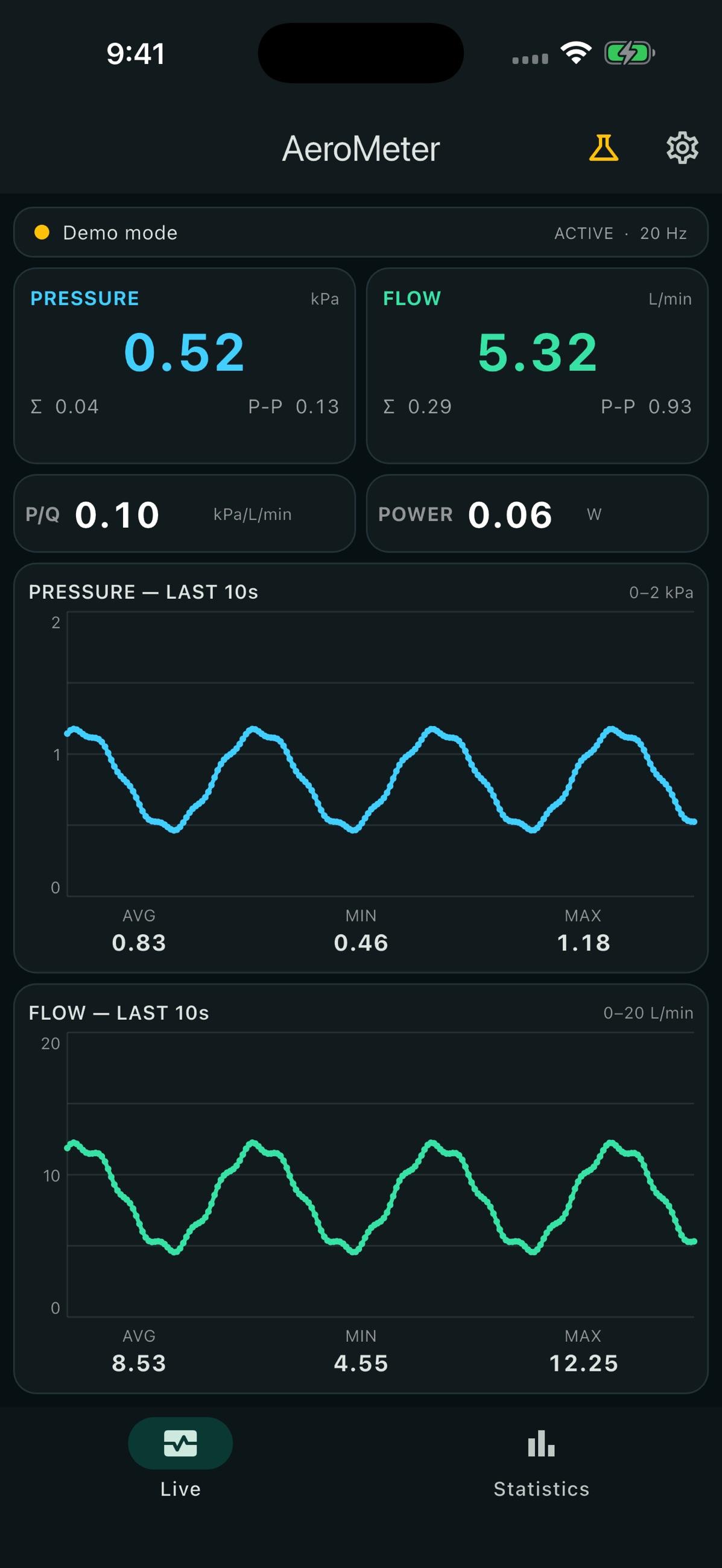
真实测量需要兼容的 AeroMeter 硬件。手机端提供演示模式;上方手机截图为 iOS 1.2.0 的 App Store 截图,显示的是模拟数据。
Google Play 安卓测试
请使用与 Google Play 商店相同的 Google 账号,按以下顺序加入:
-
先加入三个 App 共用的测试群组,只需加入一次。
-
再加入当前 App 的测试,点击“成为测试者”,然后通过 Google Play 安装。每个 App 需要分别加入测试。
请尽量保持较长安装时间以帮助软件满足上架前测试要求。请保留群组成员和测试者资格,实际使用 App 并提供反馈。